> For the complete documentation index, see [llms.txt](https://docs.lyzi.io/llms.txt). Markdown versions of documentation pages are available by appending `.md` to page URLs; this page is available as [Markdown](https://docs.lyzi.io/en/merchant/liens-kyc.md).
# KYC Links
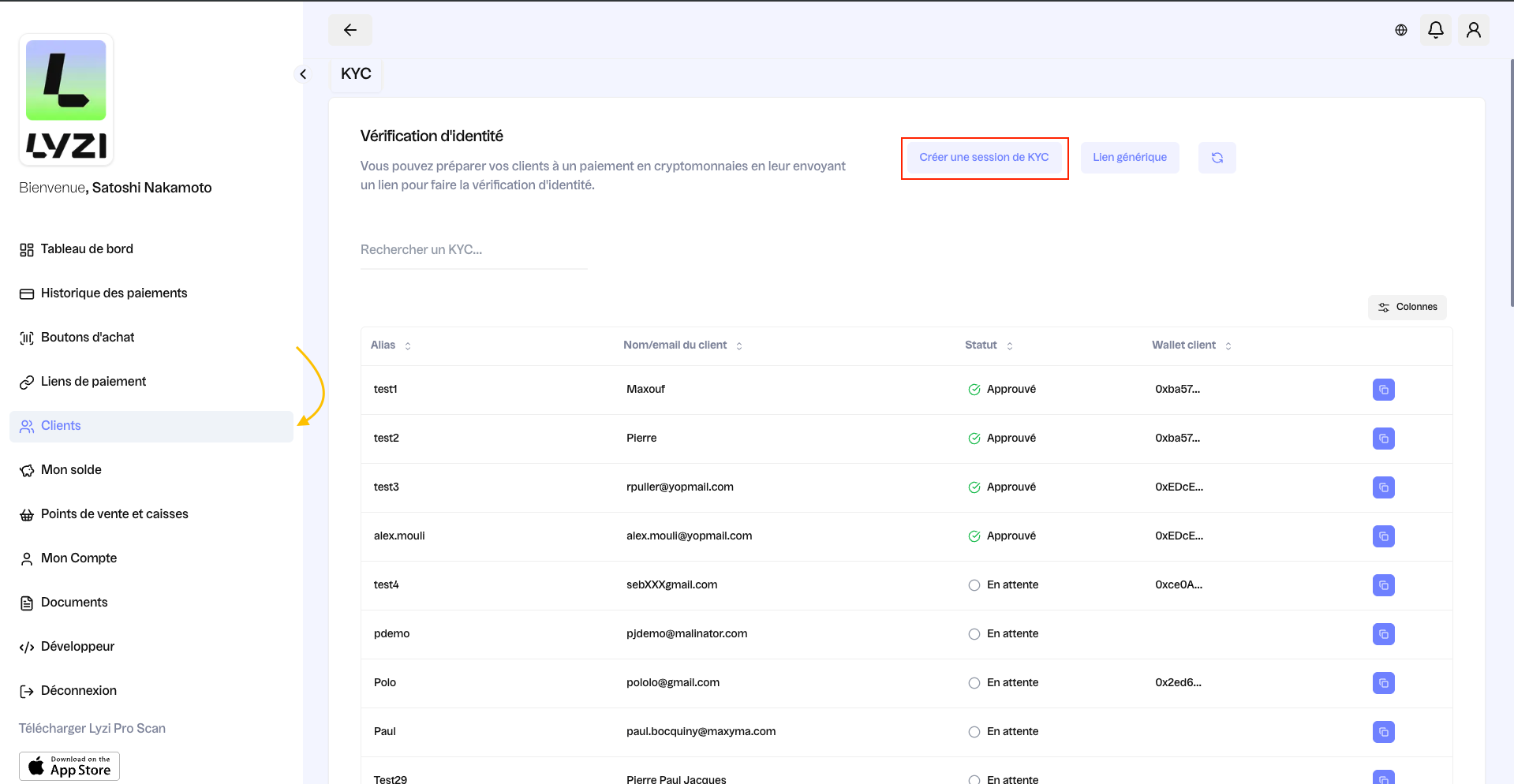
On the customer page, you can create a KYC (know your customer) session and access your history with the alias, customer name/email, status and customer wallet. By clicking "Create a KYC session" (see red box), you have the option to create a new session.
Why is this important?
KYC is essential to verify the identity of **payers**, prevent money laundering and terrorist financing. It also allows compliance with laws, risk assessment and securing transactions. Without KYC, companies can be exposed to fraud and regulatory sanctions.
There are two ways to share a KYC link:
* KYC session: this allows the merchant to track the progress of the KYC and identify the recipient.
* Generic link: it can be shared widely and is the same for everyone.
KYC is required for transactions over €1,000 on a wallet
KYC is required for transactions over €50,000 on an exchange
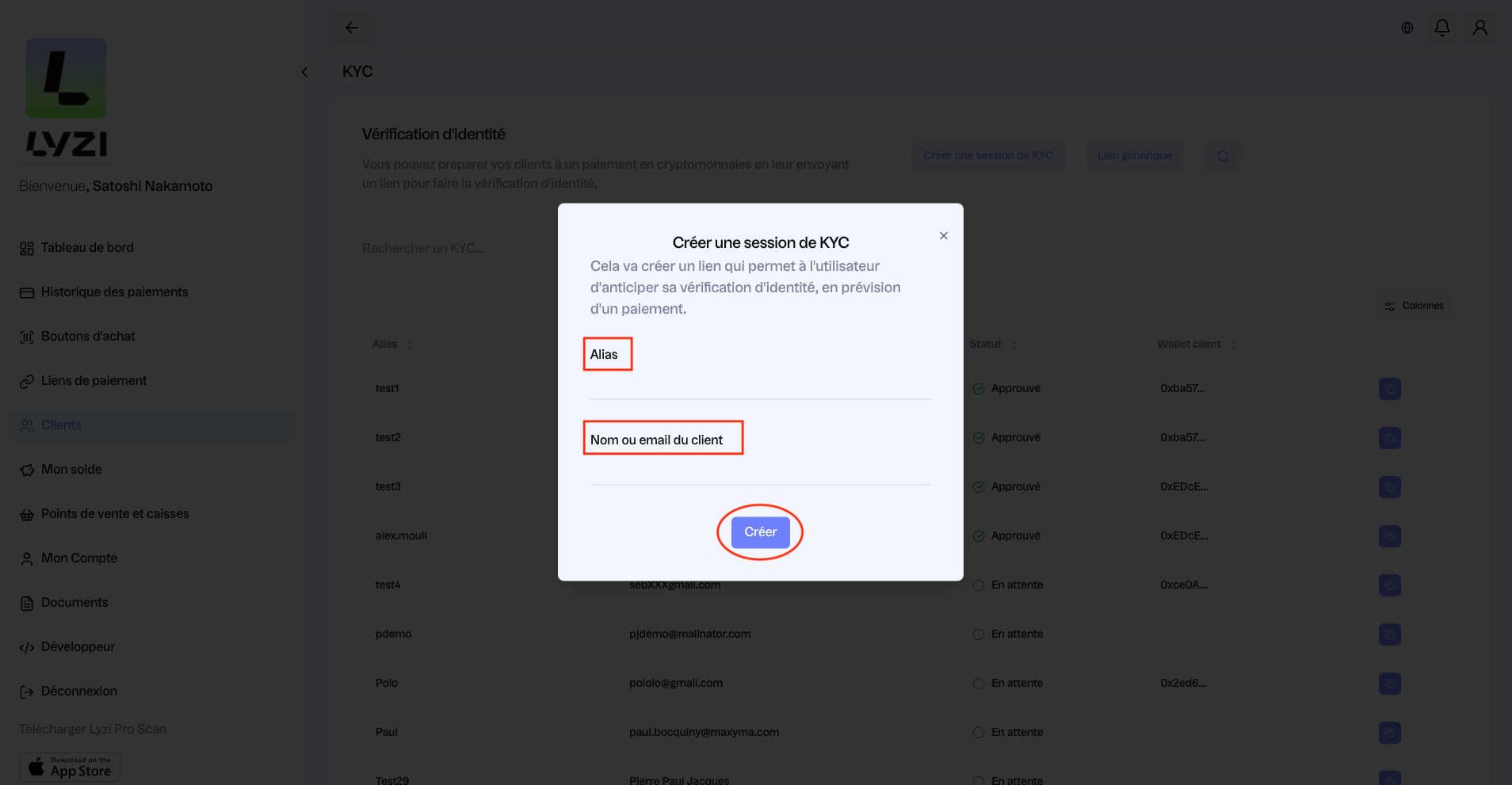
After clicking "Create a KYC session", here's the screen that appears (see image below). You can fill in the alias and customer name or email (see red box) then click "Create"
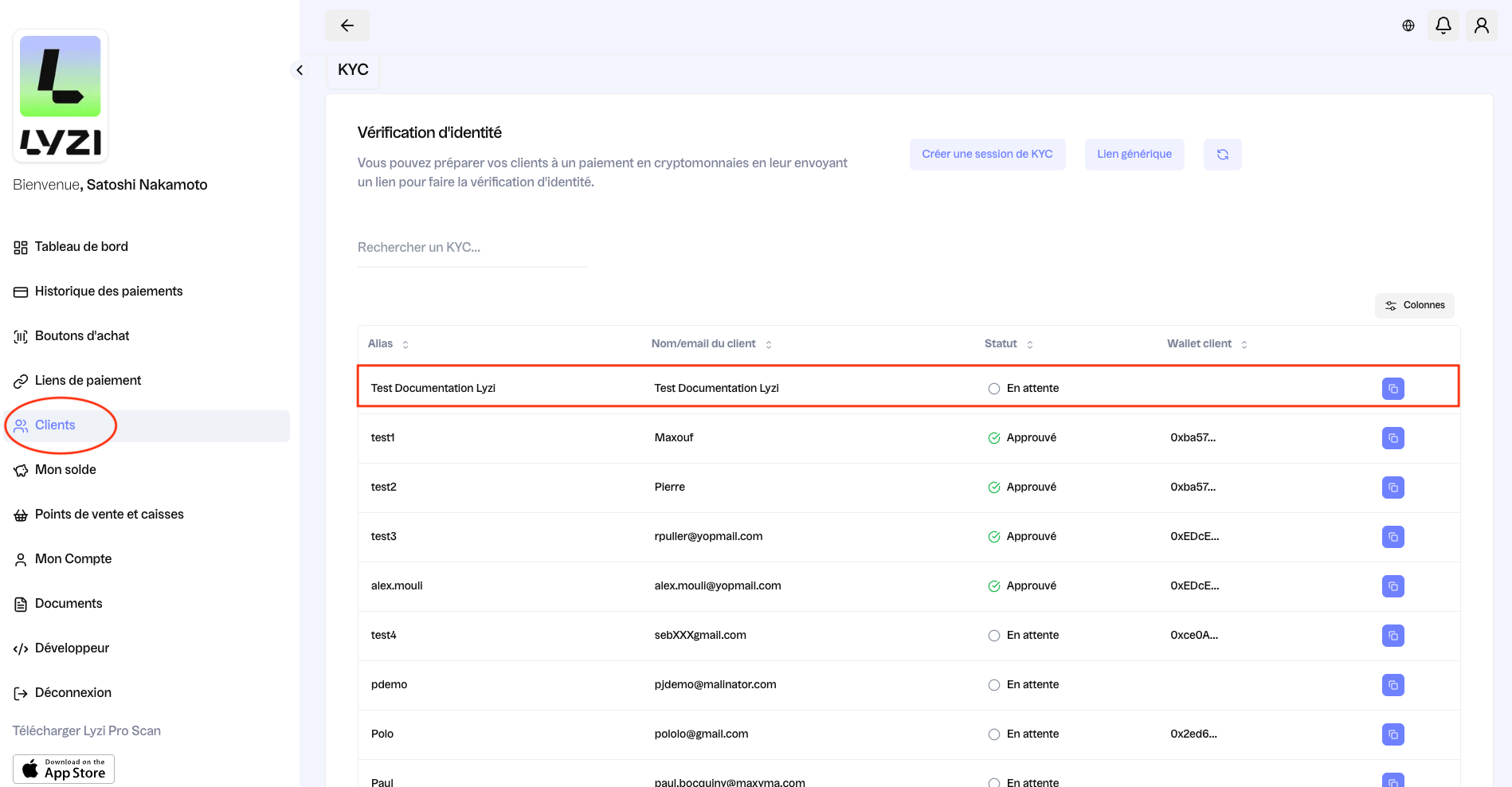
Once the session is created, it appears in first position and its status shows "pending". It's therefore up to the customer to do what's necessary for the session to be approved. If the KYC session is done remotely, you can copy-paste the link by clicking on the blue square at the far right. You can then send this link to your customer.
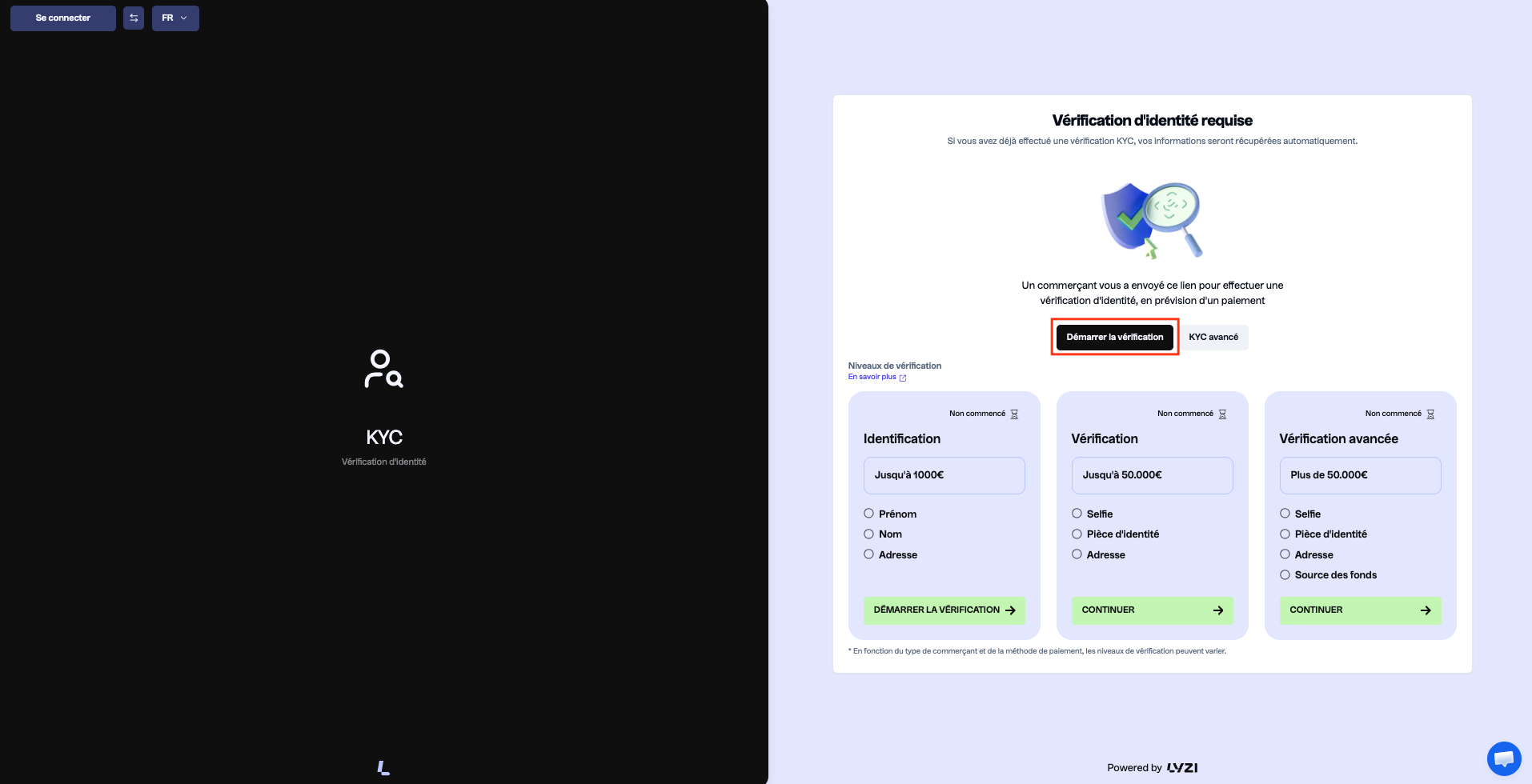
When the link is sent to the customer (by email, whatsapp...), their interface is as follows (see image below). They just need to click "Start verification" (see red outline).
---
# Agent Instructions
This documentation is published with GitBook. GitBook is the documentation platform designed so that both humans and AI agents can read, navigate, and reason over technical content effectively. Learn more at gitbook.com.
## Querying This Documentation
If you need additional information that is not directly available in this page, you can query the documentation dynamically by asking a question.
Perform an HTTP GET request on the current page URL with the `ask` query parameter, and the optional `goal` query parameter:
```
GET https://docs.lyzi.io/en/merchant/liens-kyc.md?ask=&goal=
```
`ask` is the immediate question: it should be specific, self-contained, and written in natural language.
`goal` is optional and describes the broader end goal you are ultimately trying to accomplish on behalf of the user. GitBook uses it to tailor the answer towards what is most useful for that goal.
The response will contain a direct answer to the question and relevant excerpts and sources from the documentation.
Use this mechanism when the answer is not explicitly present in the current page, you need clarification or additional context, or you want to retrieve related documentation sections.