> For the complete documentation index, see [llms.txt](https://docs.lyzi.io/llms.txt). Markdown versions of documentation pages are available by appending `.md` to page URLs; this page is available as [Markdown](https://docs.lyzi.io/en/merchant/lyzi-roles.md).
# Lyzi Roles
This page presents all the preconfigured roles that are implemented in the Lyzi solution.
## **Manager**
A **manager** is associated with an independent brand, registered as a company in the legal sense.
{% hint style="info" %}
Only one email address can be assigned to a manager, and therefore to the company.
{% endhint %}
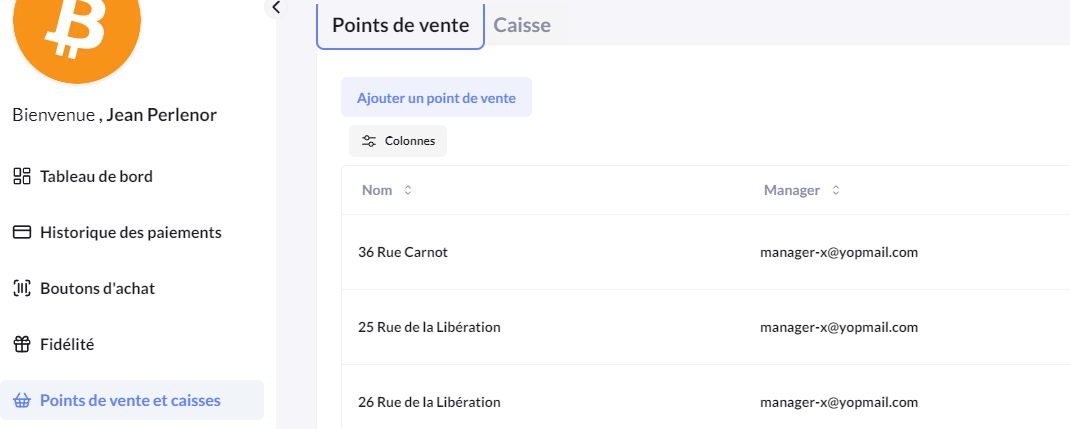
A company can be composed of several **points of sale** (different postal addresses), and each point of sale can include several **cash registers (collectors)**.
The manager has all the administration tools to create points of sale, collectors, buy buttons or payment links. They can also request refunds (which must be approved by the Lyzi team).
### **Payments**
#### **Online**
To enable online payments, the manager can create buy buttons or payment links from the backoffice. By integrating the link, QR code or script on the website, the manager can easily and quickly set up cryptocurrency payments in the online store.
#### **Offline**
For offline payments, the manager must create a **point of sale**, then create **collectors**:
Each point of sale can have several collectors (cash registers).
{% hint style="success" %}
A common scenario is to create a collector for each employee who will use the solution to accept cryptocurrency payments.
{% endhint %}
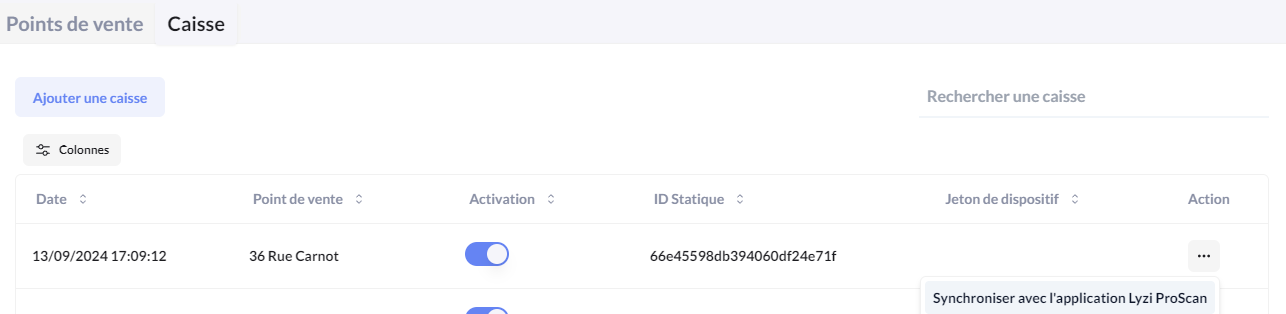
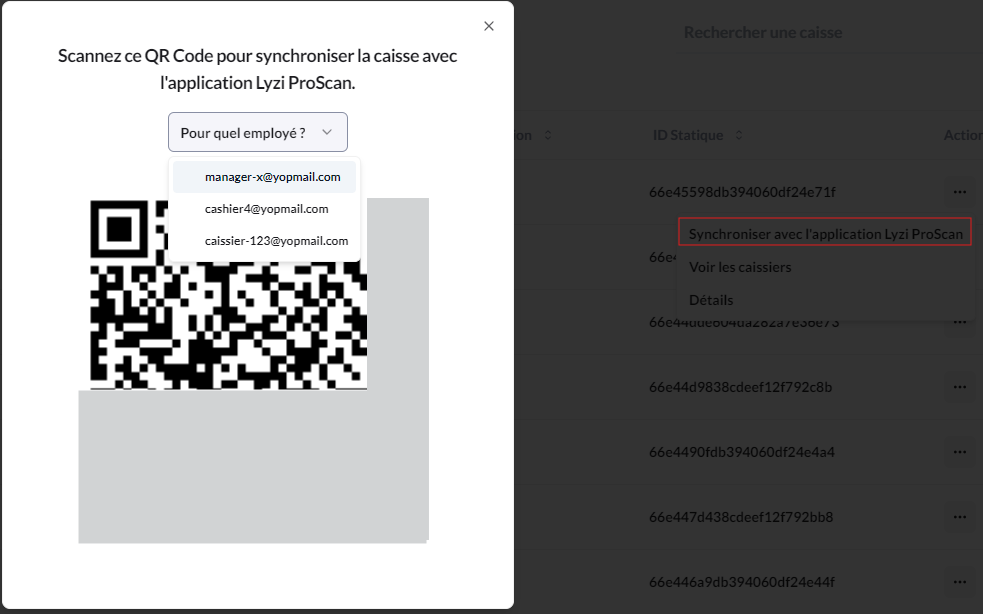
Once the collector is created, the Lyzi Pro application can be synchronized with it by scanning a QR code. Cryptocurrency payments can be accepted as soon as the application is synchronized with the collector.
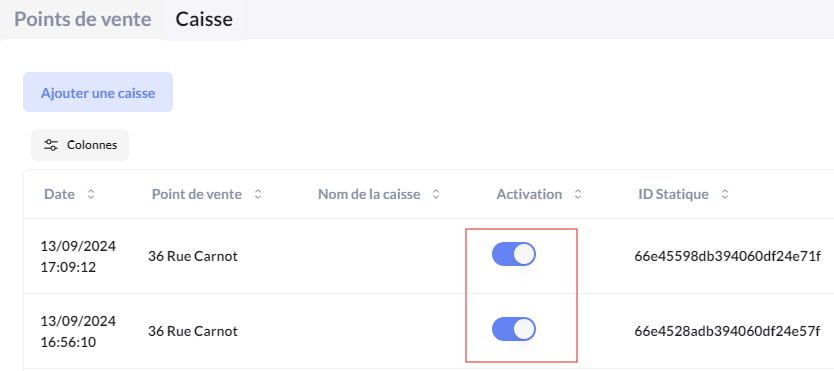
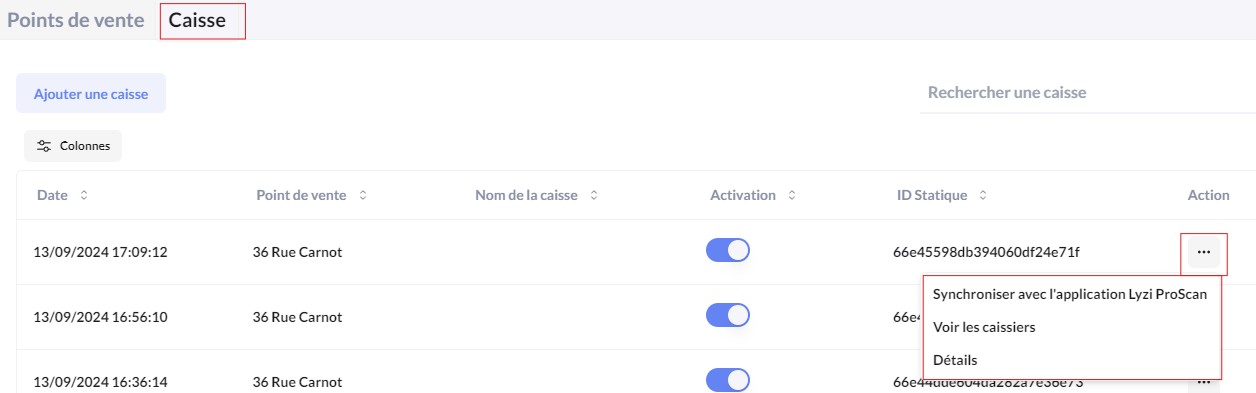
Each collector can be temporarily activated or deactivated to authorize or block cryptocurrency payments from the Lyzi Pro application:
## **Cashier Role**
The **cashier** role consists of being assigned to a collector, creating payment links and validating supporting documents to accept a payment.\
A cashier can only see transactions accepted by the collector they are associated with.
### **Registration**
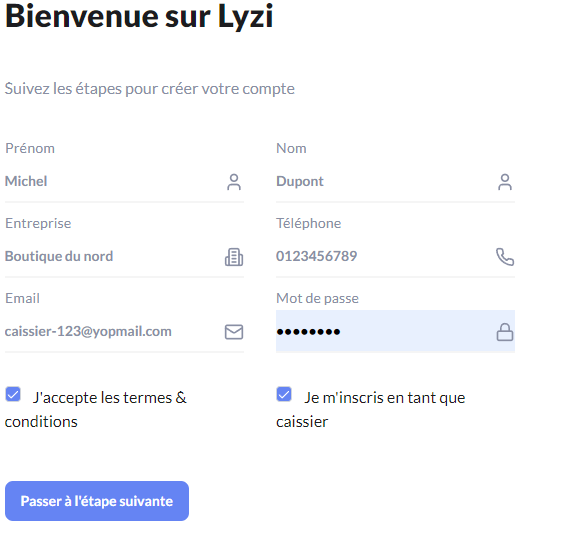
On , any user can register as a cashier:
{% hint style="info" %}
Even though anyone can register as a cashier for a company, as long as the manager of that company has not assigned the cashier to a collector, the cashier has no role or privileges to perform any action.
{% endhint %}
#### **Assignment**
Only the company manager can perform the following task.\
Once the point of sale and at least one collector are configured, the manager can create QR codes to synchronize the Lyzi Pro application for soft POS use.
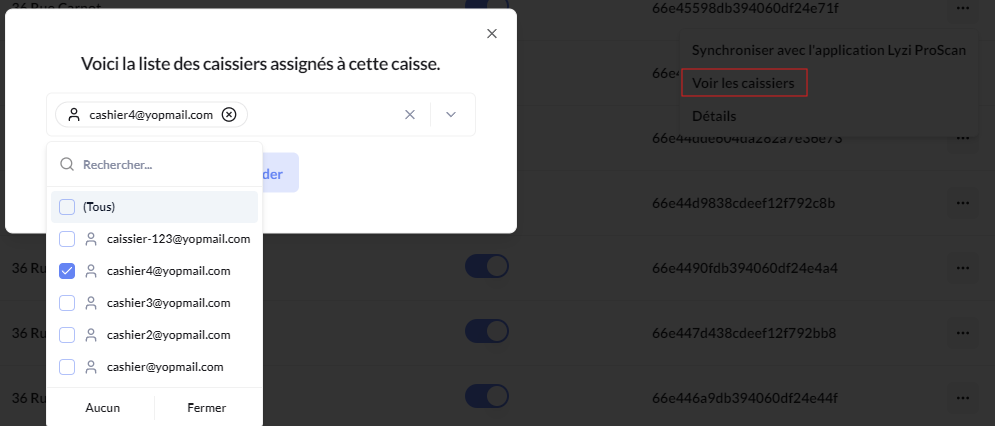
In the collector page, each collector can be synchronized with the application and can be assigned to a cashier.
First, the cashier must be assigned to the collector.
Then, the QR code must be generated for a given cashier.
A QR code can also be generated for the manager.
## Supervisor (Observer)
The **supervisor** can be attached to several managers. They have a strictly **consultative** role. They can consult and analyze all transactions associated with the managers they are attached to, access details, track activity and extract reports.
However, they **cannot in any case** initiate a payment, create points of sale or collectors, or request or validate refunds.
Their role is limited exclusively to supervising and observing operations.
## **Super Manager**
A **super manager** has a role of supervision and management of managers and companies. By default, the Lyzi team assigns managers to a super manager, but by having the necessary information about managers (names, emails, IBANs, etc.), a **super manager** can themselves assign a list of managers under their supervision.
A super manager can consult the list of transactions made on the accounts of each of their managers, but also create points of sale, create cash registers or initiate payments for a manager attached to them
{% hint style="info" %}
The super manager is today a role mainly intended for technical integration (with API).\
The SuperManager interface in the Backoffice is in beta version and lacks many features
{% endhint %}
---
# Agent Instructions
This documentation is published with GitBook. GitBook is the documentation platform designed so that both humans and AI agents can read, navigate, and reason over technical content effectively. Learn more at gitbook.com.
## Querying This Documentation
If you need additional information that is not directly available in this page, you can query the documentation dynamically by asking a question.
Perform an HTTP GET request on the current page URL with the `ask` query parameter, and the optional `goal` query parameter:
```
GET https://docs.lyzi.io/en/merchant/lyzi-roles.md?ask=&goal=
```
`ask` is the immediate question: it should be specific, self-contained, and written in natural language.
`goal` is optional and describes the broader end goal you are ultimately trying to accomplish on behalf of the user. GitBook uses it to tailor the answer towards what is most useful for that goal.
The response will contain a direct answer to the question and relevant excerpts and sources from the documentation.
Use this mechanism when the answer is not explicitly present in the current page, you need clarification or additional context, or you want to retrieve related documentation sections.
.png?alt=media)