> For the complete documentation index, see [llms.txt](https://docs.lyzi.io/llms.txt). Markdown versions of documentation pages are available by appending `.md` to page URLs; this page is available as [Markdown](https://docs.lyzi.io/en/user/faire-un-paiement/trust-wallet-mobile.md).
# Trust Wallet Mobile
### How does a payment with Trust Wallet and Lyzi work?
Once on the payment page, you have the choice between different options.
You'll find exchanges like Binance or WhiteBIT, but also the Wallets option, which represents non-custodial wallets.
### In images

{% hint style="info" %}
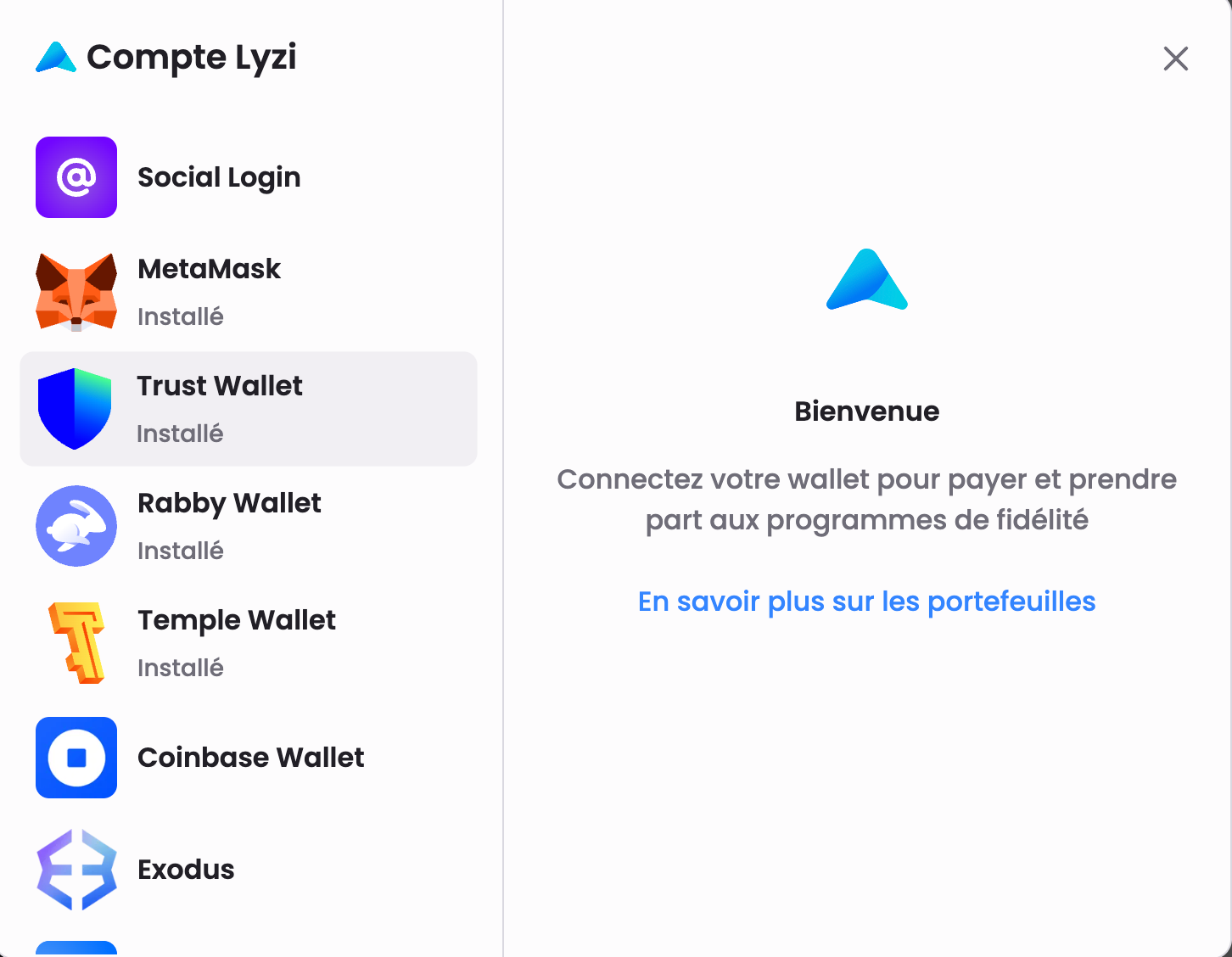
Among these options you'll find Trust Wallet. To connect, you can click on the top left to register your address.
{% endhint %}
{% hint style="success" %}
You can now connect to your Trust Wallet!
{% endhint %}
{% hint style="info" %}
So, you're connected and your address is registered. You'll therefore benefit from various rewards like cashback linked to your purchases, or even community drops. (make blog posts about it)
{% endhint %}
{% hint style="warning" %}
IF this is your first connection, you'll have the opportunity to fill in your information.
{% endhint %}
{% hint style="warning" %}
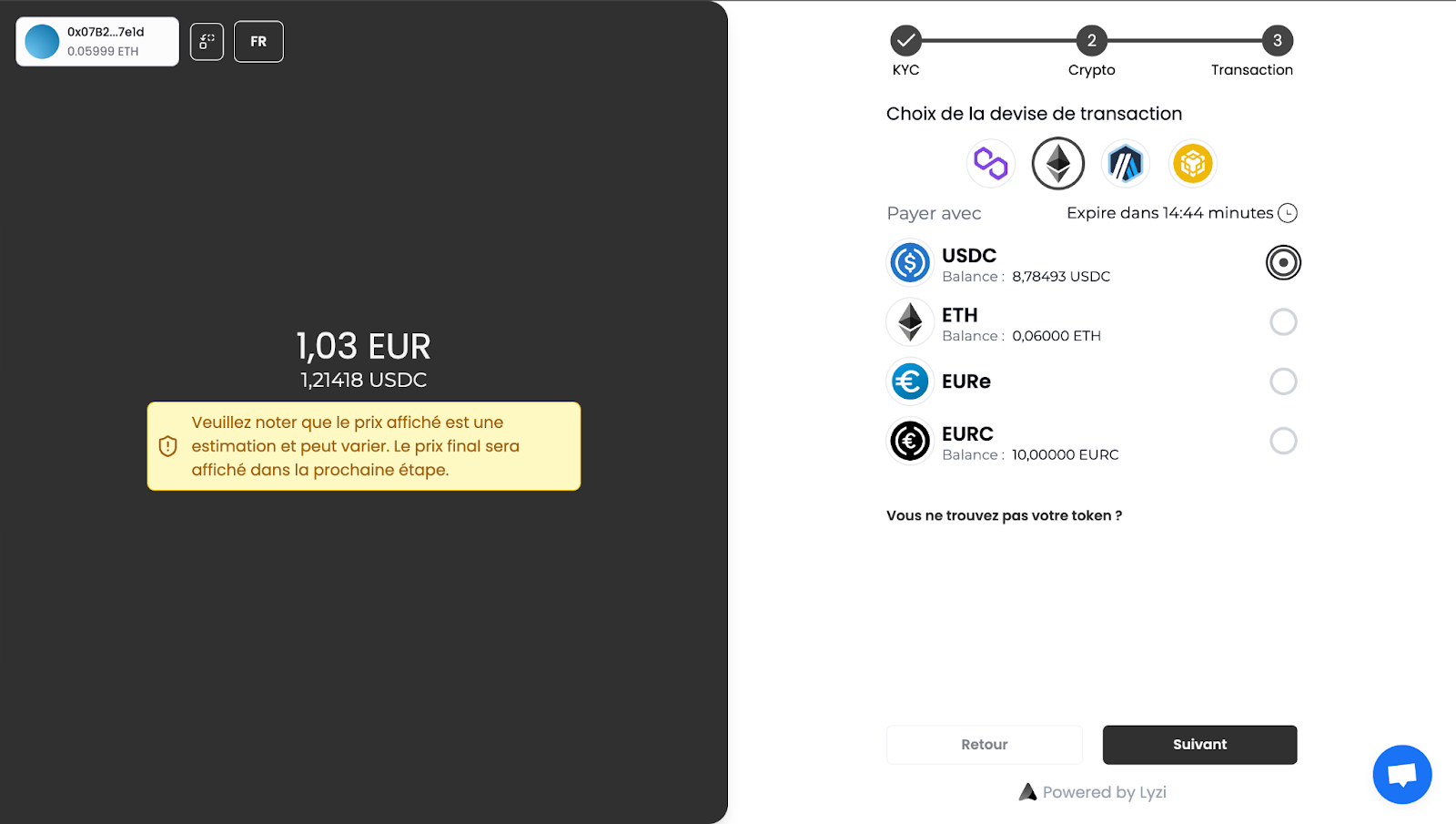
Once the 'Wallets' option is selected, you can choose the network and crypto you want to use and therefore spend.
Here, we chose to use the Sepolia Ethereum network (test), and to spend EURC.
{% endhint %}
{% hint style="info" %}
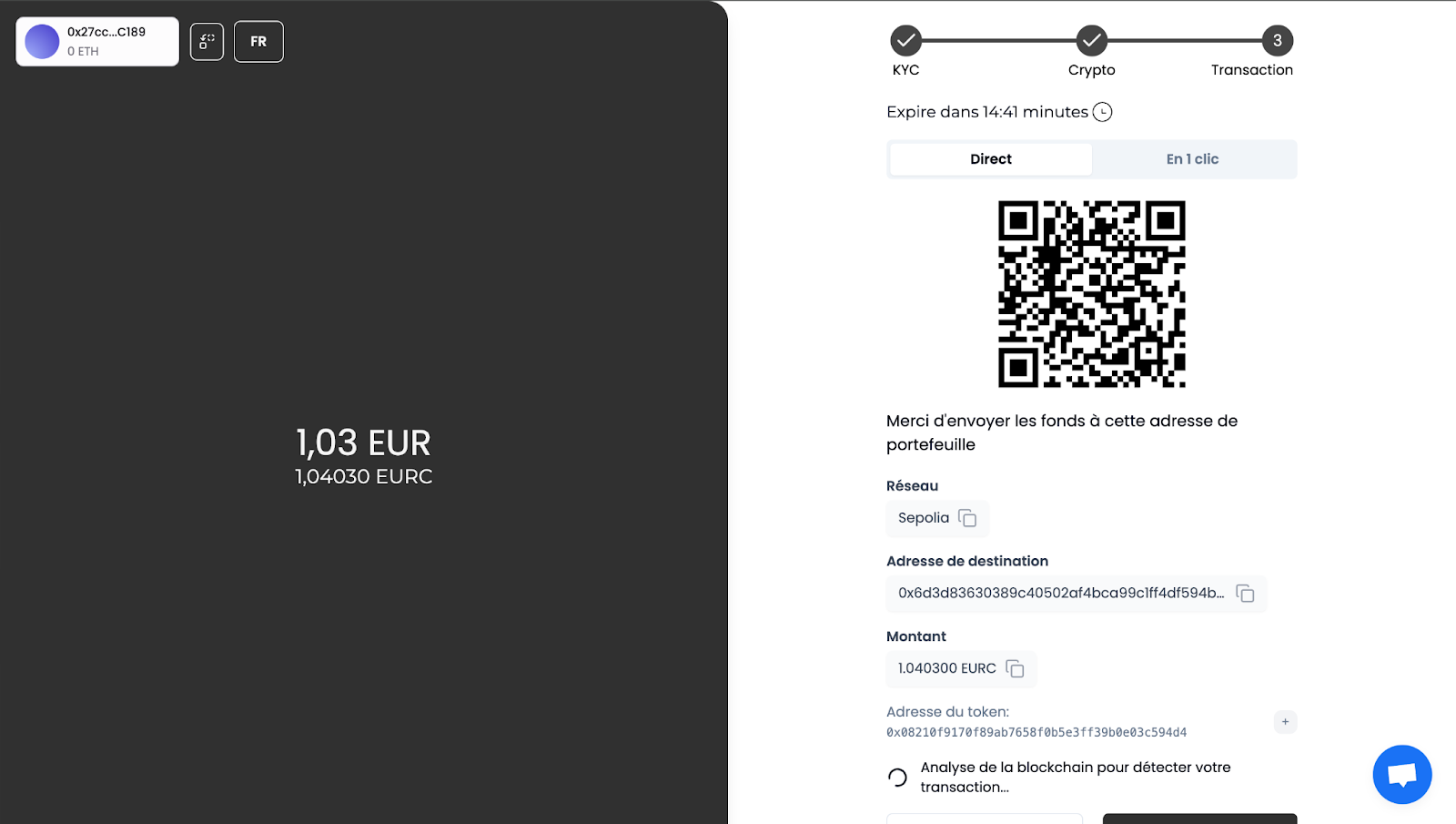
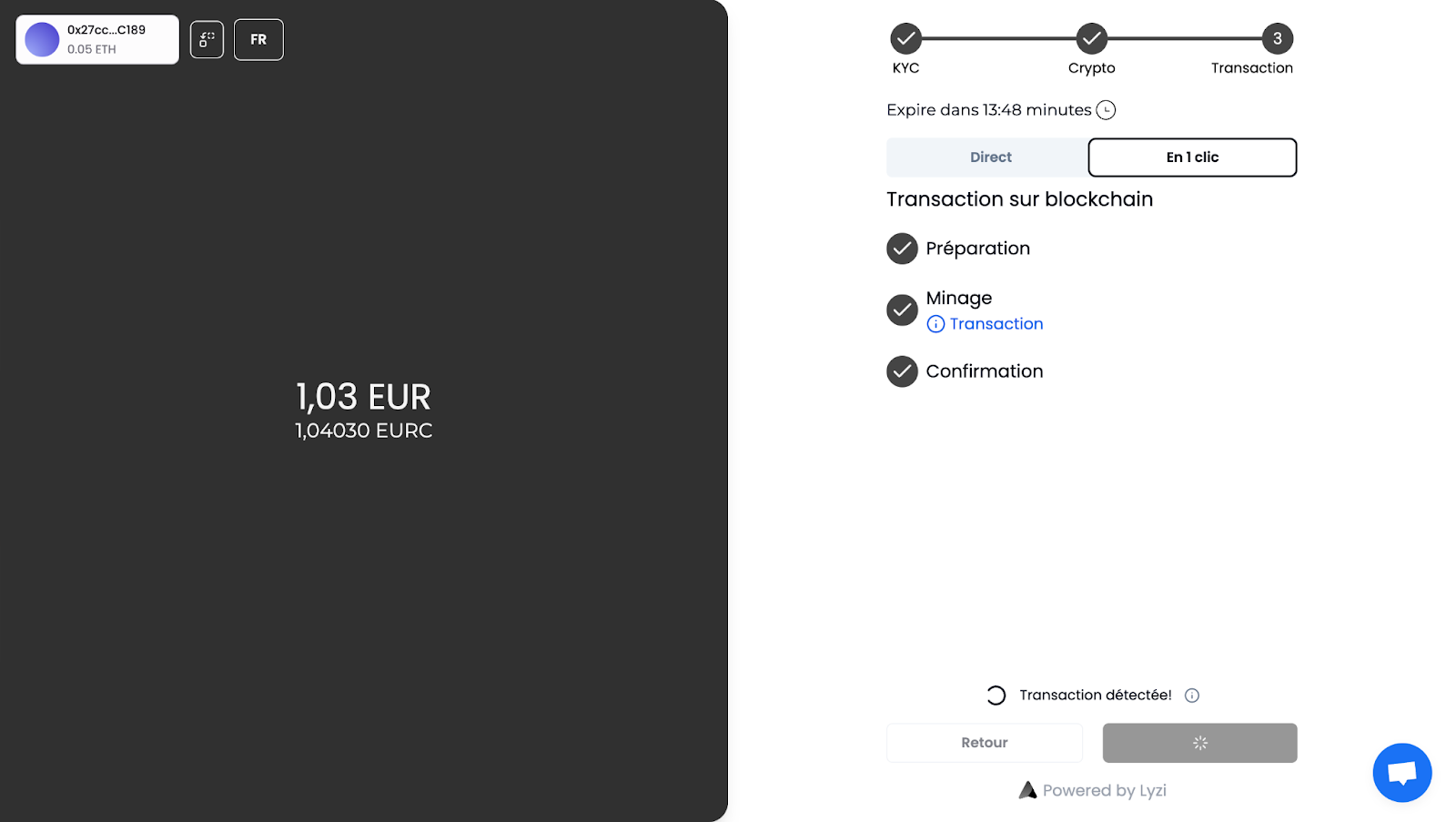
You are therefore offered to pay, either by sending the funds (exact amount) to the address, manually. Or in 1 click, that is to say by validating the operation from your Trust Wallet, already connected. This method is more suitable for desktop computer payments because on mobile it requires some agility. Indeed, you'll need to switch from wallet to Dapp to validate the authorizations in the wallet.
{% endhint %}
{% hint style="info" %}
Here, we choose the most intuitive option, namely in 1 click.
{% endhint %}
{% hint style="danger" %}
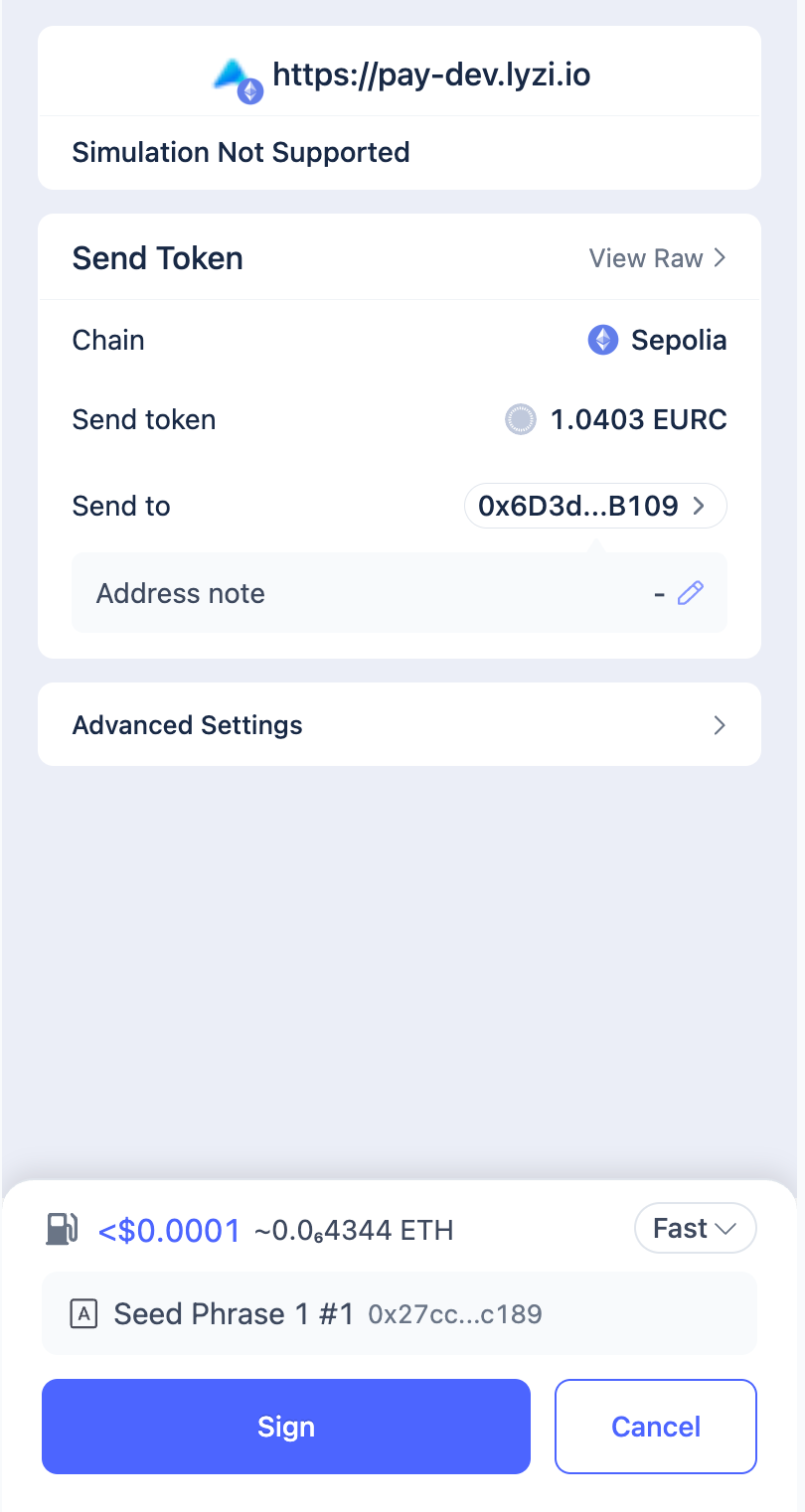
As mentioned previously, you must therefore validate the transaction from your wallet. (Make sure you have enough to pay the gas fees 🙂)
{% endhint %}
{% hint style="success" %}
The transaction goes to confirmation status...
{% endhint %}
{% hint style="success" %}
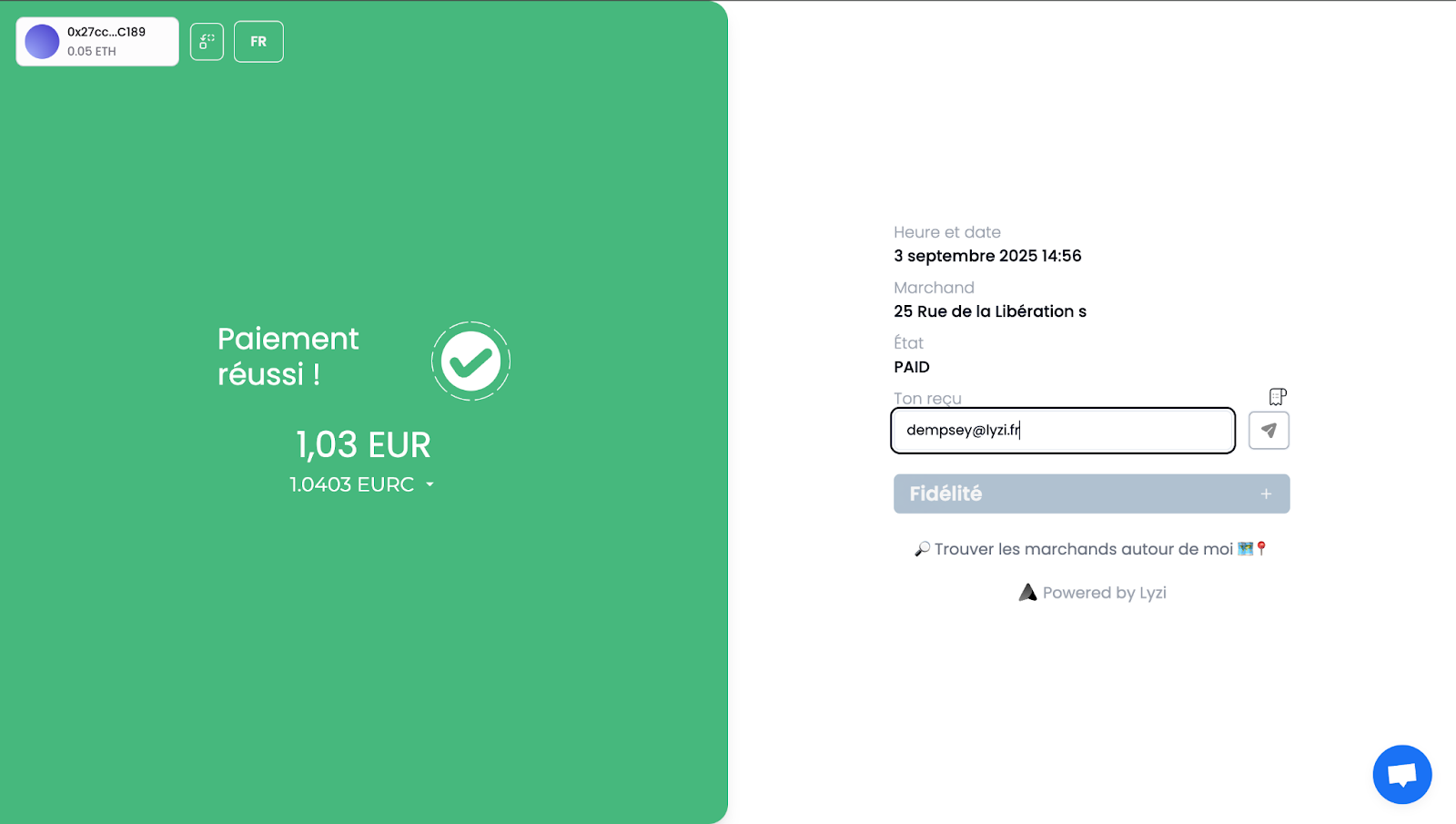
And there you go! The payment is validated! 😀
{% endhint %}
{% hint style="success" %}
Your payment is therefore finalized, and the merchant receives the funds (in euros) within 24 to 72 hours directly in their account! You can enter your email to receive your receipt, and even take a look at the loyalty program.
{% endhint %}
---
# Agent Instructions
This documentation is published with GitBook. GitBook is the documentation platform designed so that both humans and AI agents can read, navigate, and reason over technical content effectively. Learn more at gitbook.com.
## Querying This Documentation
If you need additional information that is not directly available in this page, you can query the documentation dynamically by asking a question.
Perform an HTTP GET request on the current page URL with the `ask` query parameter, and the optional `goal` query parameter:
```
GET https://docs.lyzi.io/en/user/faire-un-paiement/trust-wallet-mobile.md?ask=&goal=
```
`ask` is the immediate question: it should be specific, self-contained, and written in natural language.
`goal` is optional and describes the broader end goal you are ultimately trying to accomplish on behalf of the user. GitBook uses it to tailor the answer towards what is most useful for that goal.
The response will contain a direct answer to the question and relevant excerpts and sources from the documentation.
Use this mechanism when the answer is not explicitly present in the current page, you need clarification or additional context, or you want to retrieve related documentation sections.